

You can use the GitHub card shortcode to display GitHub cards anywhere shortcodes are supported.
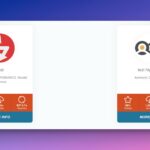
Here is an example of the shortcode in use, using default settings.
[github-info-card username="dlxplugins" repo="highlight-and-share"]Code language: JSON / JSON with Comments (json)The following are the parameters for the shortcode:
Required Attributes
| Attribute | Type | Default | Description |
|---|---|---|---|
username | string | – | GitHub username or organization name |
repo | string | – | GitHub repository name |
Layout & Display Attributes
| Attribute | Type | Default | Description |
|---|---|---|---|
layout | string | large | Card layout style (options: large, card) |
align | string | center | Block alignment (options: center``, wide, full) |
horizontalalign | string | center | Horizontal alignment (Options: left, center, right) |
style | string | light | Style slug (options: dark, light, bw, purple, colorful, custom) |
style – dark | Dark theme | ||
style – light | Light theme | ||
style – bw | Black and White theme | ||
style – purple | Purple theme | ||
style – colorful | Colorful theme | ||
style – custom | Use custom colors |
Sample shortcodes:
[github-info-card username="dlxplugins" repo="highlight-and-share" style="bw" layout="card"]
Code language: JSON / JSON with Comments (json)
[github-info-card username="dlxplugins" repo="highlight-and-share" style="dark" layout="large"]
Code language: JSON / JSON with Comments (json)Spacing & Margin Attributes
| Attribute | Type | Default | Description |
|---|---|---|---|
marginspacing | string | none | Margin spacing style (options: none, compact, comfortable, spacious,extreme) |
marginspacingtarget | string | both | Target for margin spacing (options: both, top, bottom) |
Sample shortcode with a comfortable margin on the bottom:
[github-info-card username="dlxplugins" repo="highlight-and-share" style="dark" layout="large" marginspacing="comfortable" marginspacingtarget="bottom"]Code language: JSON / JSON with Comments (json)Color Customization Attributes
| Attribute | Type | Default | Description |
|---|---|---|---|
backgroundcolor | string | #fff | Card background color |
textcolor | string | #24292f | Main text color |
iconcolor | string | #666 | Icon color |
iconcolorhover | string | #111827 | Icon color on hover |
bordercolor | string | #d0d7de | Border color |
languagebgcolor | string | #24292f | Programming language badge background |
languagetextcolor | string | #fff | Programming language badge text color |
sponsorscolor | string | #bf3989 | Sponsors section color |
buttonbgcolor | string | #1a7f37 | Button background color |
buttonbgcolorhover | string | #2c974b | Button background color on hover |
buttontextcolor | string | #fff | Button text color |
buttontextcolorhover | string | #fff | Button text color on hover |
Sample shortcode:
[github-info-card username="dlxplugins" repo="highlight-and-share" style="custom" layout="large" marginspacing="comfortable" backgroundcolor="#DDD"]Code language: JSON / JSON with Comments (json)Display Toggle Attributes
| Attribute | Type | Default | Description |
|---|---|---|---|
showtopbar | boolean | true | Show the top information bar |
showauthorbar | boolean | true | Show the author information section |
showstatsbar | boolean | true | Show the statistics bar (stars, forks, etc.) |
showlastupdated | boolean | true | Show the last updated timestamp |
Sample shortcode:
[github-info-card username="dlxplugins" repo="highlight-and-share" style="purple" layout="large" marginspacing="comfortable" showtopbar="false"]Code language: JSON / JSON with Comments (json)Button Configuration Attributes
| Attribute | Type | Default | Description |
|---|---|---|---|
buttontype | string | github | Type of button to display (options: github, website, sponsor, download,star, custom) |
overridebutton | boolean | false | Whether to override the default button |
overridebuttontext | string | View on GitHub | Custom button text when override is enabled |
overridebuttonurl | string | – | Custom button URL when override is enabled and buttontype is custom |
Sample shortcode:
[github-info-card username="dlxplugins" repo="highlight-and-share" style="bw" overridebutton="true" overridebuttontext="View" overridebuttonurl="https://dlxplugins.com" buttontype="custom"]Code language: JSON / JSON with Comments (json)Content Override Attributes
| Attribute | Type | Default | Description |
|---|---|---|---|
nameoverride | string | – | Override the repository name display |
loginoverride | string | – | Override the username display |
versionoverride | string | – | Override the version information |
sponsorsurloverride | string | – | Override the sponsors URL |
organizationurloverride | string | – | Override the organization URL |
homepageurloverride | string | – | Override the homepage URL |
avatarimageurl | string | – | Override the avatar image URL |
Sample shortcode:
[github-info-card username="dlxplugins" repo="highlight-and-share" style="light" layout="large" marginspacing="comfortable" nameoverride="Highlight and Share"]Code language: JSON / JSON with Comments (json)[github-info-card username="dlxplugins" repo="highlight-and-share" style="light" layout="large" marginspacing="comfortable" loginoverride="DLX Plugins"]Code language: JSON / JSON with Comments (json)[github-info-card username="dlxplugins" repo="highlight-and-share" style="light" layout="large" marginspacing="comfortable" loginoverride="DLX Plugins" avatarimageurl="https://secure.gravatar.com/avatar/b1f98471cbb84ddeb26979e992e4492775c4cbd8ee643454790c7a8f42c67e38?s=200&d=mm&r=g"]Code language: JSON / JSON with Comments (json)CSS Classes
| Attribute | Type | Default | Description |
|---|---|---|---|
class | string | – | Additional CSS classes for custom styling |
uniqueid | string | auto-generated | Unique identifier for the card needed for custom colors and styles (auto-generated if not provided) |
CSS Customization
The shortcodes generate CSS custom properties (variables) that you can override in your theme:
:root {
    --wppic-gap-sm: 8px;
    --wppic-gap-md: 16px;
    --wppic-gap-lg: 24px;
    --wppic-grid-col-gap: 24px;
    --wppic-grid-row-gap: 24px;
}
:root {
    --wppic-github-background-color: #fff;
    --wppic-github-text-color: #24292f;
    --wppic-github-icon-color: #666;
    --wppic-github-icon-color-hover: #111827;
    --wppic-github-border: #d0d7de;
    --wppic-github-language-bg: #24292f;
    --wppic-github-language-color: #fff;
    --wppic-github-sponsors-color: #bf3989;
    --wppic-github-button-bg: #1a7f37;
    --wppic-github-button-bg-hover: #2c974b;
    --wppic-github-button-text-color: #fff;
    --wppic-github-button-text-color-hover: #fff;
}Code language: CSS (css)
Browser Compatibility
- Modern browsers with CSS Grid support
- Responsive design that works on mobile and desktop
- Graceful fallbacks for older browsers
 wp-pic
 wp-pic-site-plugins