

Block Shortcuts settings are a submenu under GenerateBlocks.
Open the screen
In the WordPress admin menu, go to GenerateBlocks → Shortcuts.
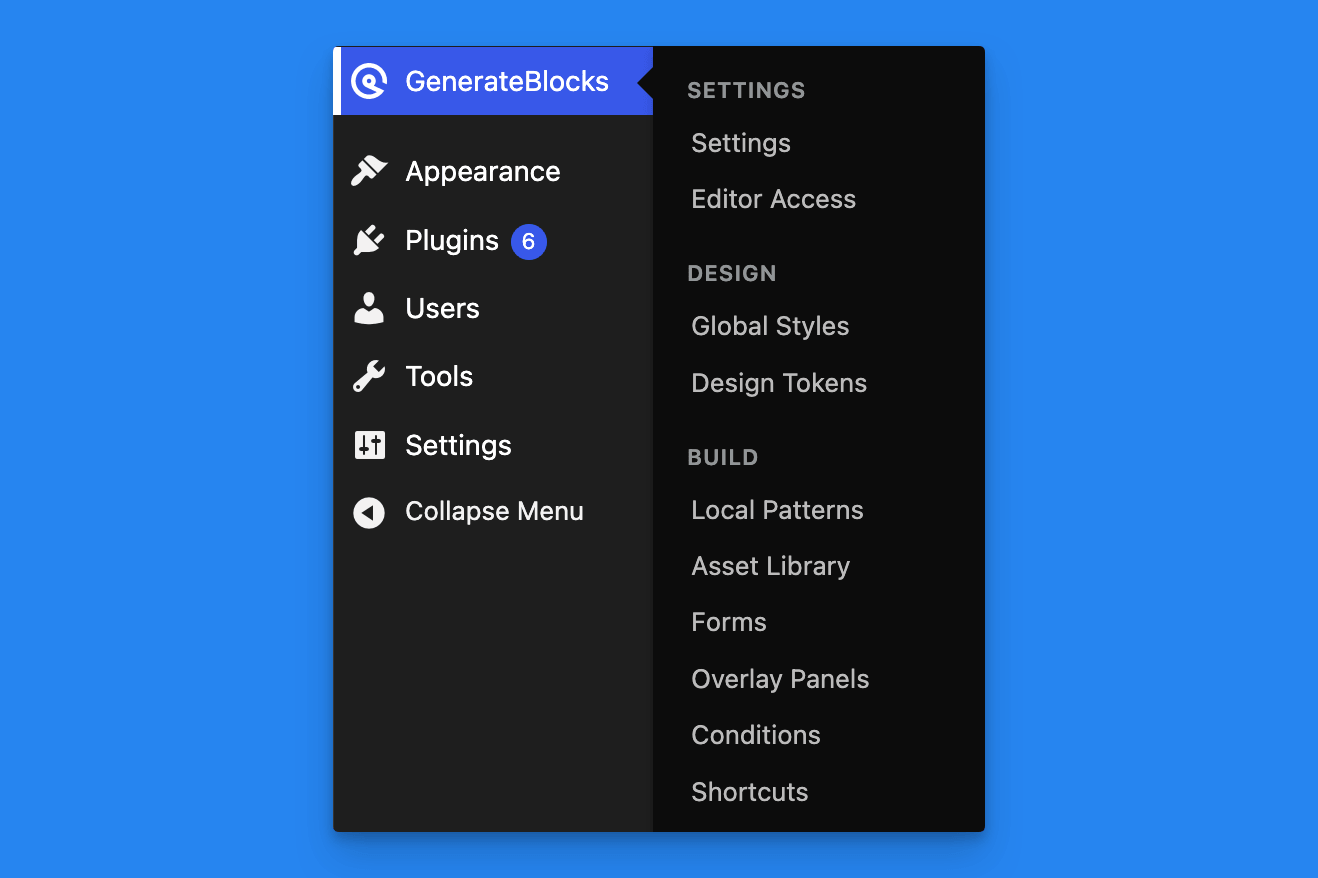
Shortcuts Menu in GenerateBlocks Admin Settings
You need to be an Administrator. Other roles do not see this screen.
Panels
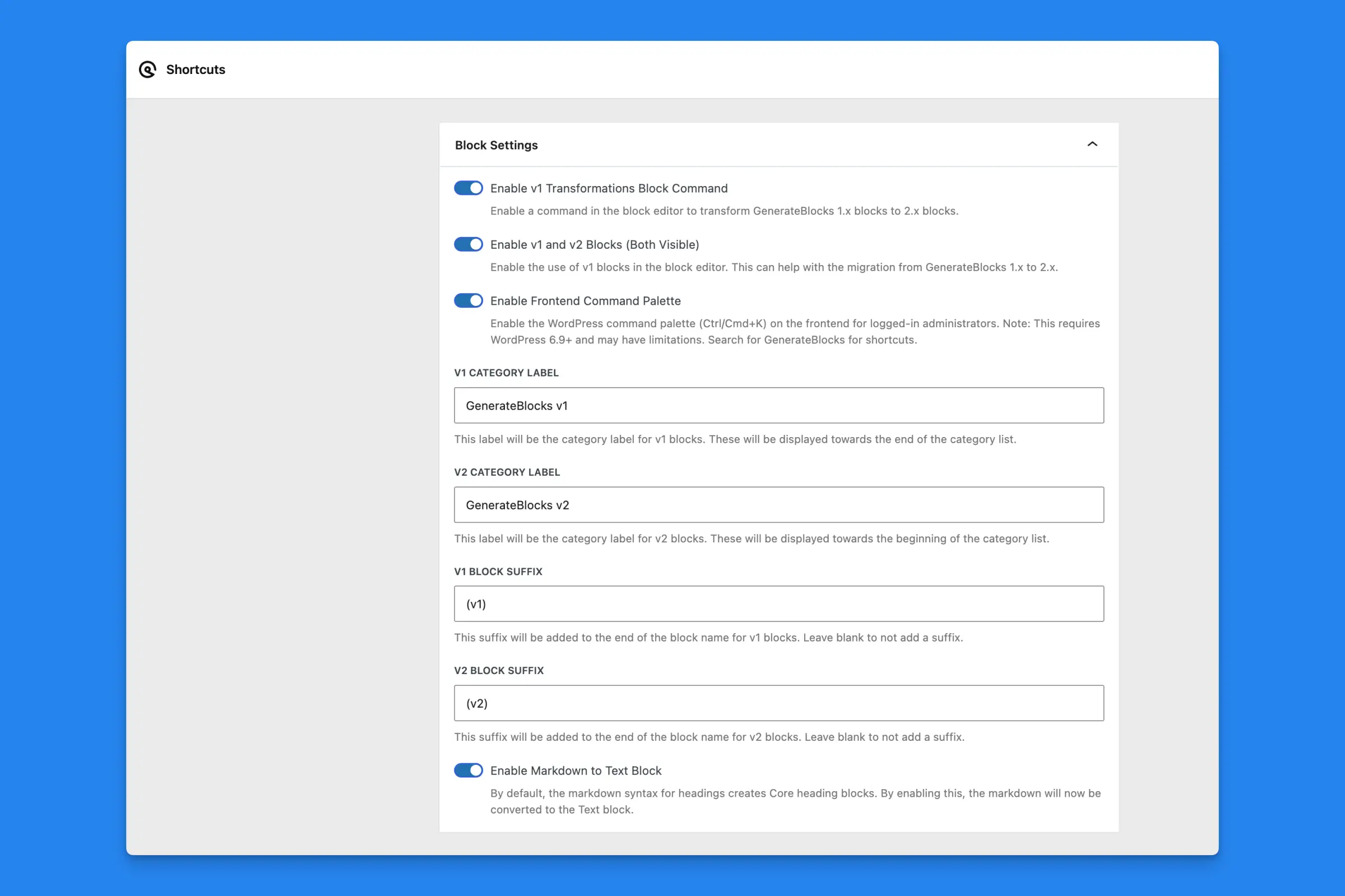
Admin Settings for Block Shortcuts for GenerateBlocks
| Panel | What it controls |
|---|---|
| Block Settings | 1.x and 2.x blocks, the 1.x conversion command, category labels, block name suffixes, and the frontend command palette |
| Markdown | The Enable Markdown to Text Block toggle, which sits in Block Settings |
| Post Type Styles | Which post types receive GenerateBlocks styles |
| Auto-Regenerate Styles on Save | Which post types clear GenerateBlocks CSS caches when saved |
| Admin Menu Bar | Whether Administrators and Editors see the GenerateBlocks toolbar menu, and whether that menu is replaced with a fuller one |
| Adobe Fonts | The Enable Adobe Fonts in the Block Editor toggle, under Miscellaneous |
Save or restore defaults
- Save Options stores the current form.
- Reset to Defaults restores every Shortcuts option to its default. This does not change content you have already published.
Save the form after you change a toggle. The editor picks up saved options the next time you open it.
 Installation
 Welcome to Block Shortcuts for GenerateBlocks