

MediaRon Block Shortcuts for GenerateBlocks adds editor shortcuts, migration helpers, and a settings screen on top of GenerateBlocks. Some admin-bar and Asset Library tools also need GenerateBlocks Pro.
Settings live under GenerateBlocks → Shortcuts.
GenerateBlocks Pro is Recommended
A GeneratePress One subscription is recommended, but not required for this plugin to work.
What you can do
- Show Adobe Fonts in the GenerateBlocks typography picker.
- Keep GenerateBlocks 1.x and 2.x blocks visible while you migrate, and convert 1.x blocks to 2.x.
- Turn markdown heading prefixes into GenerateBlocks Text blocks.
- Choose which post types receive GenerateBlocks styles, and clear style caches when selected post types are saved.
- Hide or expand the GenerateBlocks admin-bar menu.
- Use block menu tools, the command palette, and the Pattern Inserter in the editor.
Requirements
- WordPress 7.0 or later
- PHP 8.2 or later
- GenerateBlocks
- GenerateBlocks Pro, only for the full admin-bar menu and for saving SVGs to the Asset Library
The Frontend Command Palette
The frontend command palette option needs WordPress 6.9 or later. This plugin itself requires WordPress 7.0 or later.
Start here
Settings
- Block Settings
- Markdown to Text
- Post Type Styles
- Auto-Regenerate Styles on Save
- Admin Menu Bar
- Adobe Fonts
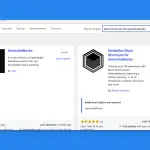 Installation
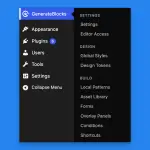 Finding the Shortcuts Settings